Virtual Try-On App for Android: Now on Google Play
Virtual Change Room's AI virtual try-on app is now on Google Play. See any outfit on you from your Android phone, send a screenshot straight into the app, and pick up right where you left off on the web.
·3 min read
The Virtual Change Room app is now on Google Play. If you've been using AI virtual try-on in your
phone's browser, you can now have it as a proper Android app: one tap from your home screen, and
the quickest way yet to go from "I like that outfit" to "here's how it looks on me".
The app is the full Virtual Change Room, built for your phone:
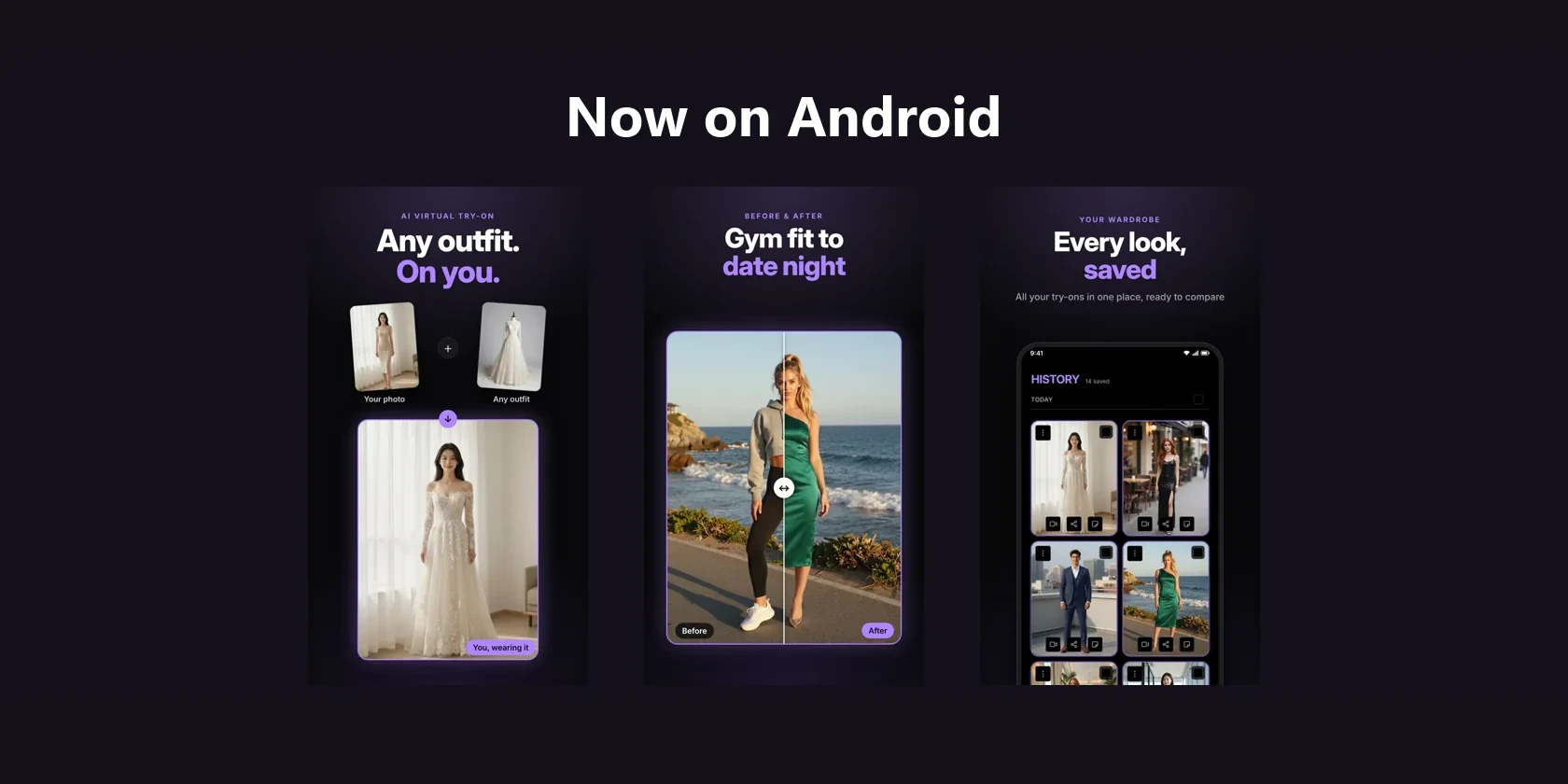
Try on any outfit. Add one full-body photo of yourself and a picture of any outfit, from any
shop, and see yourself wearing it.
See it move. Turn a try-on you keep into a short modelling video of you posing in the outfit.
Ask your friends. Share a try-on through a link, or run a style poll and let your friends vote.
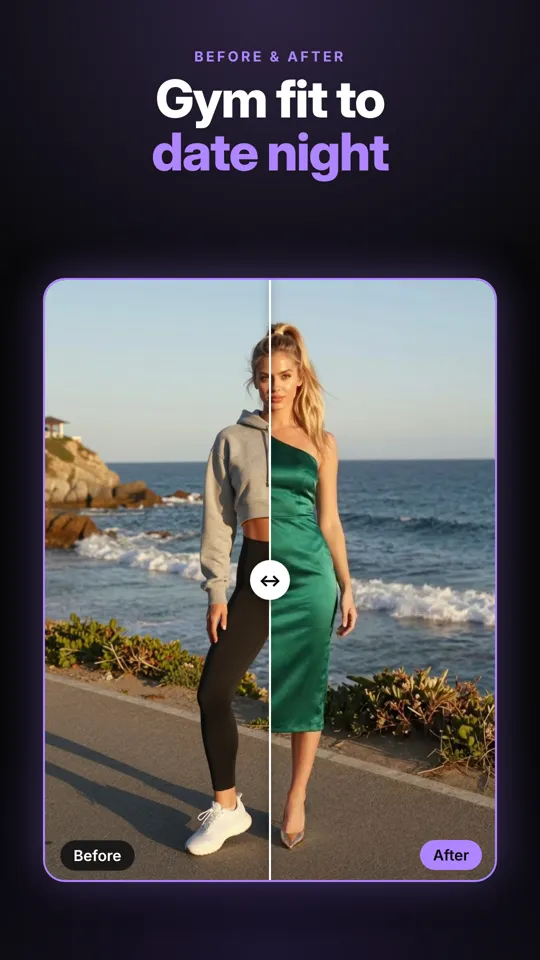
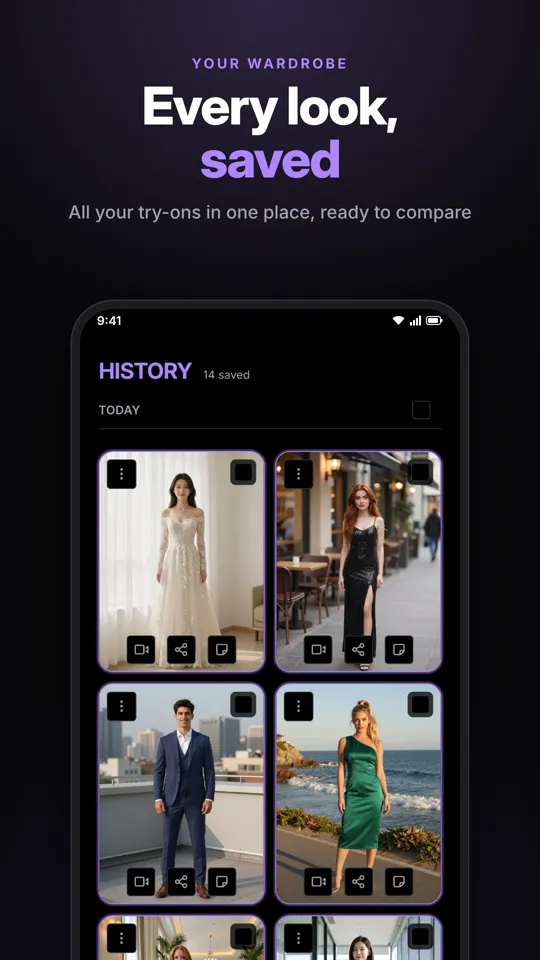
Keep everything. Every try-on you keep is saved to your history, ready to compare.
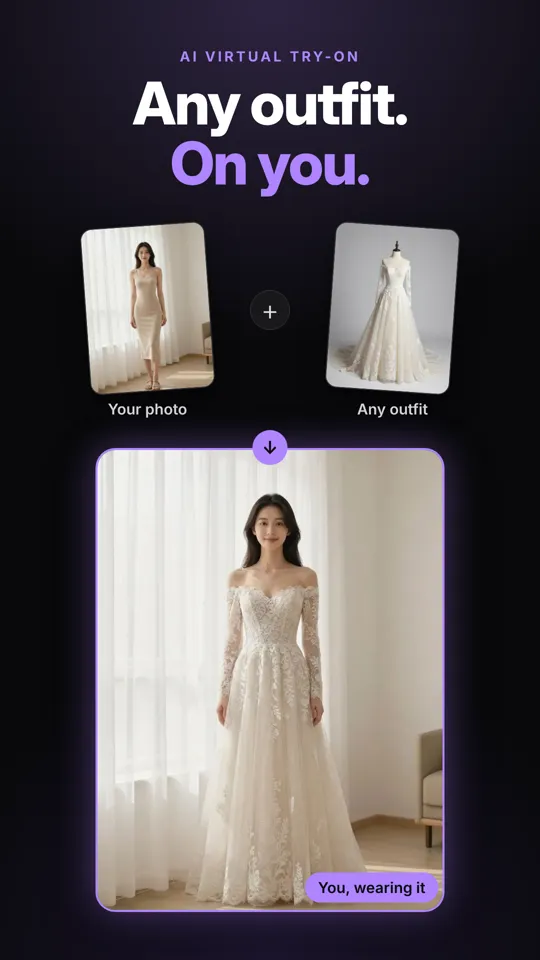
Try on any outfit.Slide between before and after.Every try-on you keep, in one place.
Why use the app instead of the browser
The website still works on any phone, tablet or computer. The app adds the things a phone is
best at:
Share an outfit straight into the app. Spot something you like in any app or on any site,
take a screenshot, tap Share on the preview, and choose Try this on. The outfit lands in
the studio, ready to go. No saving, no hunting through your photos. It's the simplest version of
our rule: see it, screenshot it, share it.
Hear when your friends vote. Run a style poll and the app can let you know as votes come in,
so you have your answer before you head out.
One tap from your home screen. No typing an address, no hunting for a bookmark.
Sign in your way. Use your Google account, or your email and password.
How to install it
On your Android phone, open the download page and tap Get it on Google Play, or
open the Play Store and search for Virtual Change Room.
Tap Install.
Open the app and sign in, or create a free account.
The app needs Android 7.0 or later.
Already use Virtual Change Room on the web?
Sign in with the same account and everything is already there: your photos, your saved try-ons,
your videos, your shares and your credits. Start a try-on on your laptop and finish it on your
phone, or the other way round.
Is it free?
It's free to download and free to start, with no subscription needed. When you want more try-ons,
buy a credit pack whenever you like: nothing renews. If you try things on a lot, an optional monthly
plan works out cheaper per try-on. The cost of each try-on is always shown on the button before you
tap it, and if one fails, the credits come back automatically.
On an iPhone?
The iPhone and iPad app is on its way to the App Store. Until then, Virtual Change Room works in
Safari on any iPhone or iPad. Tap Share, then Add to Home Screen, and you get an icon that
opens it just like an app.